Papillon Labs presents

Read it. Hear it. Keep it yours.

Blubb turns the books, PDFs, and scans you already have into a private reading and listening library — with local AI narration on Mac and offline playback on iPhone.

Take the tourJoin the waitlist

Mac + iPhone · Offline-first · Private by design

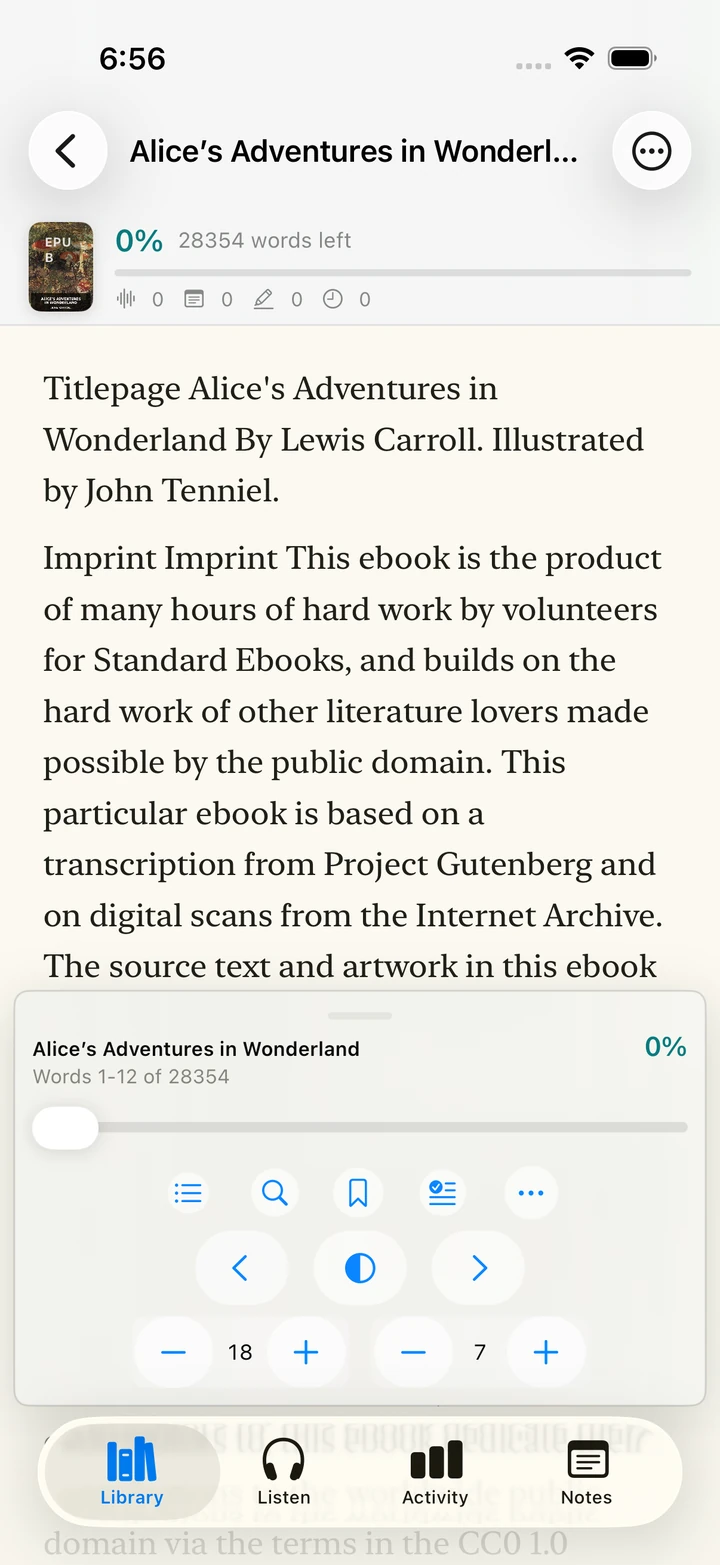
The Blubb reader on iPhone, open to the first page of Alice’s Adventures in Wonderland.

the real reader, mid-sentence — not a mockup

Walk through the real thing.

Four steps, one real book, no accounts and no uploads. Every screen below is the shipping product. Scroll to follow the workflow, use the stage controls to jump around, and click the marked points to see what each control does.

Step 1

Bring your own library

Start with what you already own. Blubb takes the files on your devices — no store, no upload, no account.
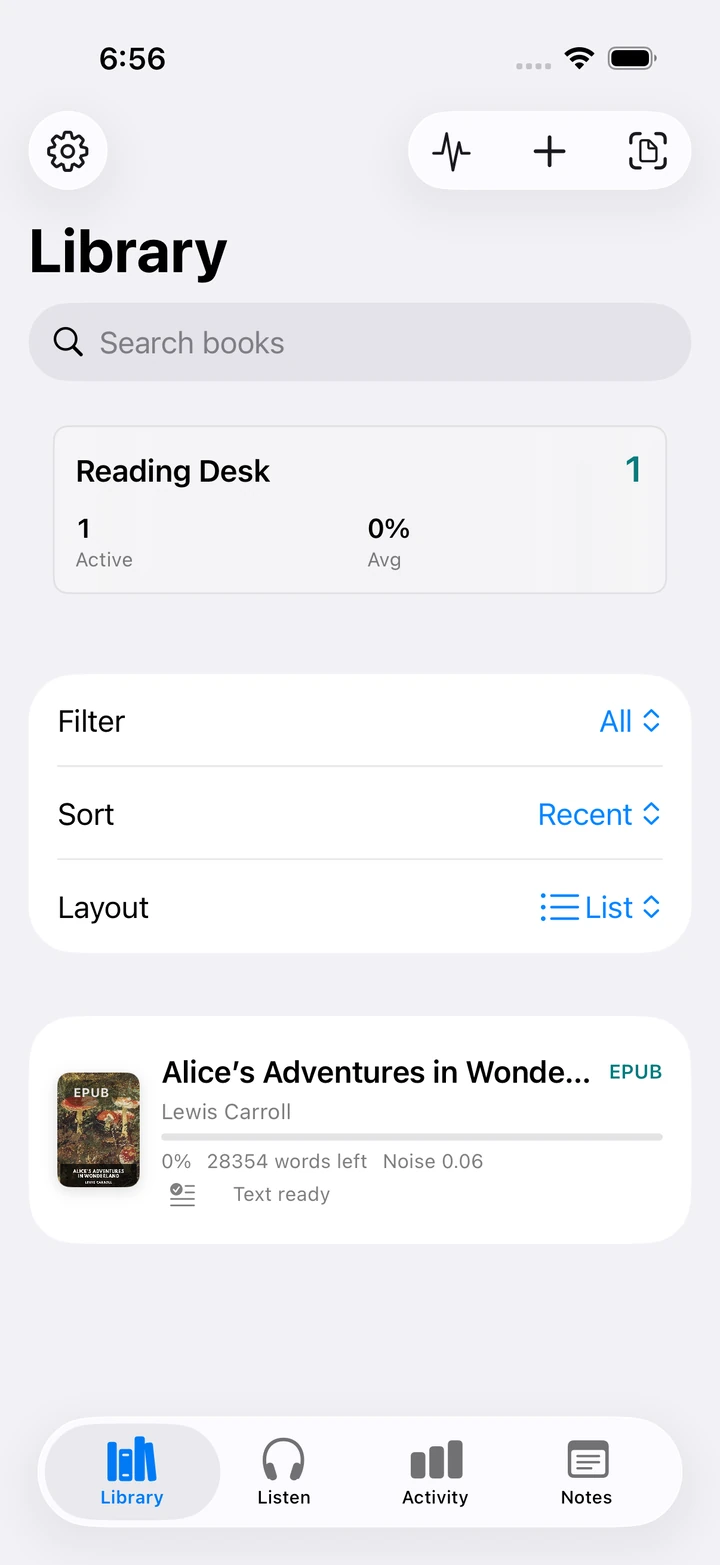
Blubb Library on iPhone showing the search field, filter, sort and layout controls, and the imported Alice’s Adventures in Wonderland EPUB.Import button. EPUB and TXT files import straight into your library, copies stay on the device.Document camera. The iPhone document camera scans paper pages; text is recognized on-device.Search and filters. Search, sort, and filter — in grid or list — without anything leaving the device.A book in the library. Searchable and scanned PDFs, JPEG, PNG, HEIC, and TIFF join EPUBs on the same shelf.
The Library on iPhone, with the bundled CC0 Alice already imported.
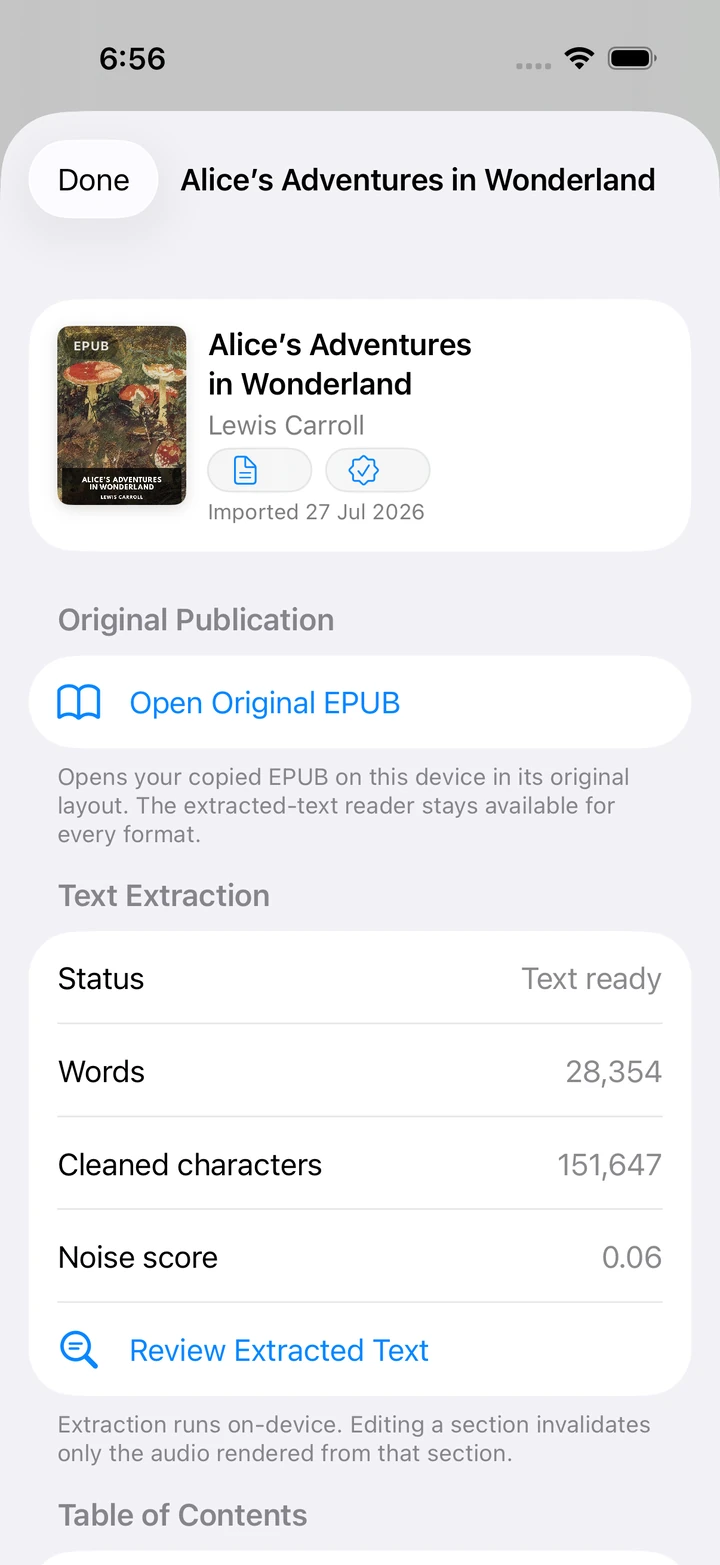
Book detail for Alice’s Adventures in Wonderland showing on-device text extraction status, word count, and the Review Extracted Text action.Open Original EPUB. Open your copied EPUB in its original layout whenever you want the printed page.Extraction status. On-device OCR shows page-level progress with cancellation, resume, and retry.Review Extracted Text. Preview and correct recognized text; an edit invalidates only that section’s audio.
Extraction runs on-device, section by section, and stays reviewable.
  • EPUB and TXT import
  • Searchable and scanned PDF import
  • JPEG, PNG, HEIC, and TIFF import
  • iPhone document-camera scanning
  • On-device OCR with progress, cancellation, and retry
  • Corrected-text review before anything is read aloud

Books, documents, and scans become one quiet, searchable library.
Step 2

Read without the noise

The reader keeps the words and removes the rest. Every control is one tap away, then gone.

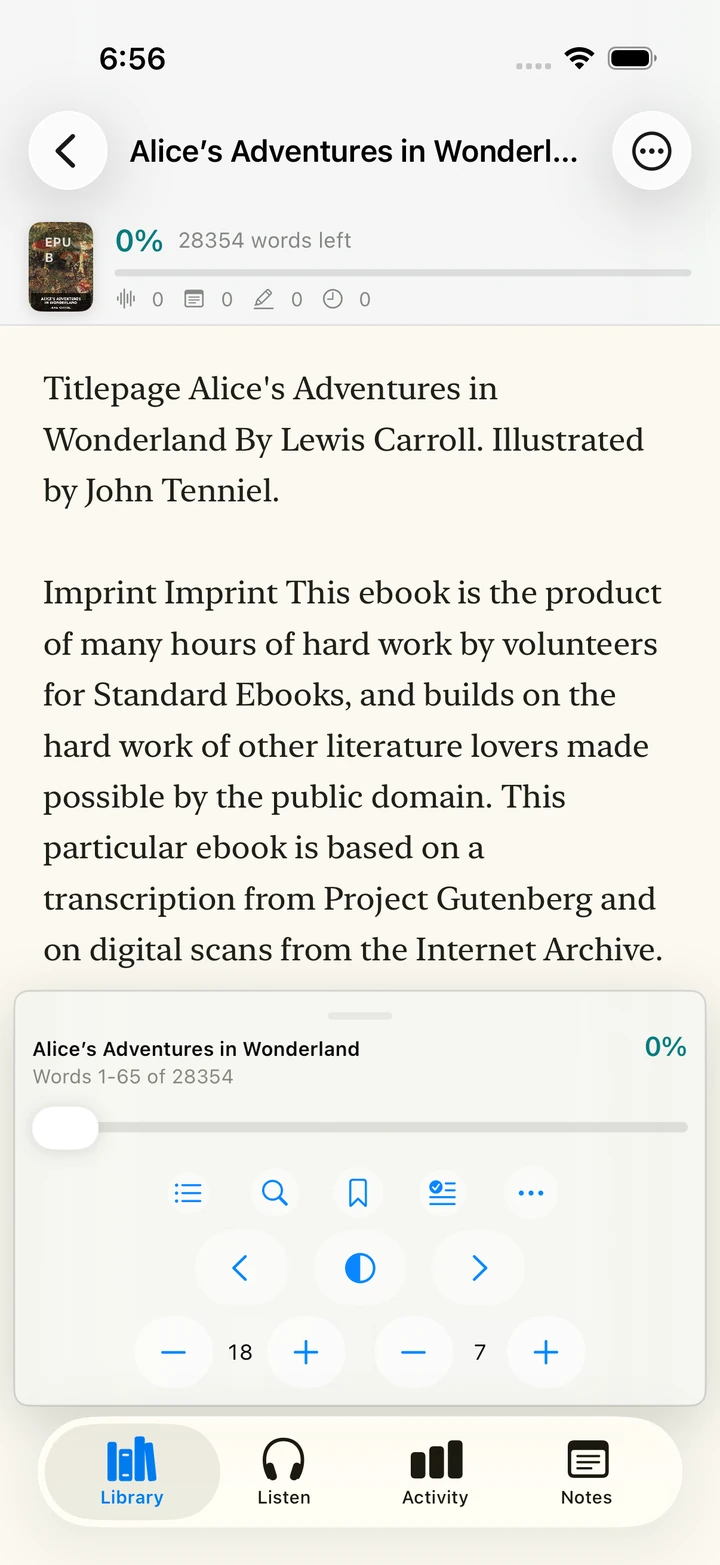
The Blubb continuous reader on iPhone showing Alice’s Adventures in Wonderland with word-based progress and the control deck.Reading position. Progress counts words, not guesses — it survives relaunches and device switches.Reader deck. Chapters, search, bookmarks, highlights, and notes live in one quiet deck.Typography controls. Paper, sepia, night, and system themes with Dynamic Type that never clips text.
Continuous reading with word-based progress: “Words 1–12 of 28354”.
Blubb Page View on iPhone showing a paginated page of Alice’s Adventures in Wonderland.Page position. Exact Page N of M for most books, estimated honestly for very large ones.Focus Mode. A tap hides everything except the words; a double tap brings the controls back.
Page View paginates the same book at readable boundaries.
  • Continuous reading and Page View
  • Focus Mode that leaves only the text
  • Paper, sepia, night, and system themes
  • Chapters and persistent reading position
  • Bookmarks, highlights, and notes
  • Word-based progress, never a guess
  • Original EPUB navigation on iPhone

Choose a page or a continuous flow, then remove everything except the words.

Step 3

Create natural-sounding narration locally

Create natural-sounding narration locally on your Mac, then privately sync the finished audio and listen on iPhone.

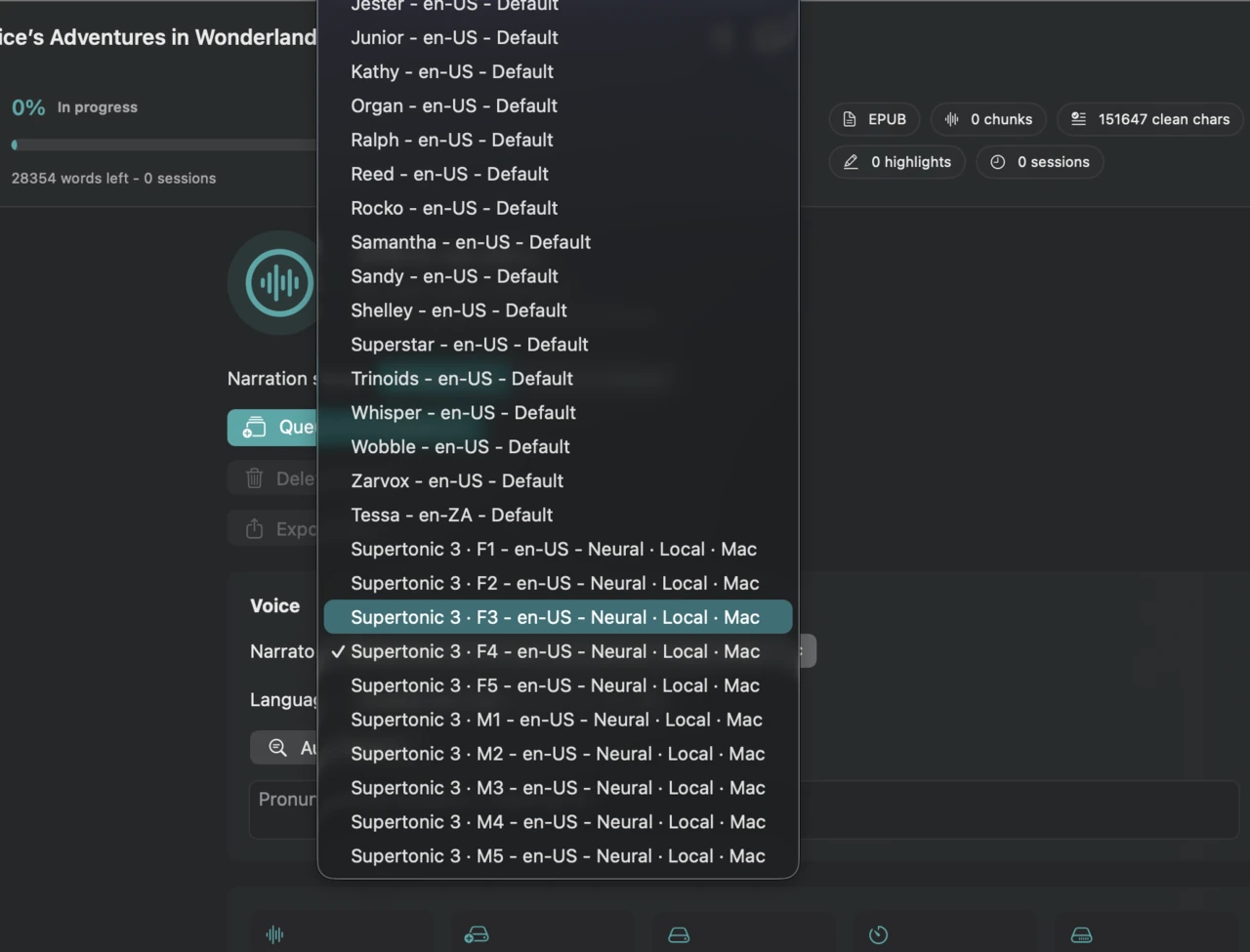
The Blubb Listen workspace on Mac with the narrator picker open, showing local neural narrators alongside Apple voices.Neural narrators. Local neural narrators run entirely on your Mac; every installed Apple voice remains a tap away.Preparation scope. Prepare the whole book or just the current chapter — nothing is uploaded.
The Mac narrator picker: local neural narrators next to Apple voices.
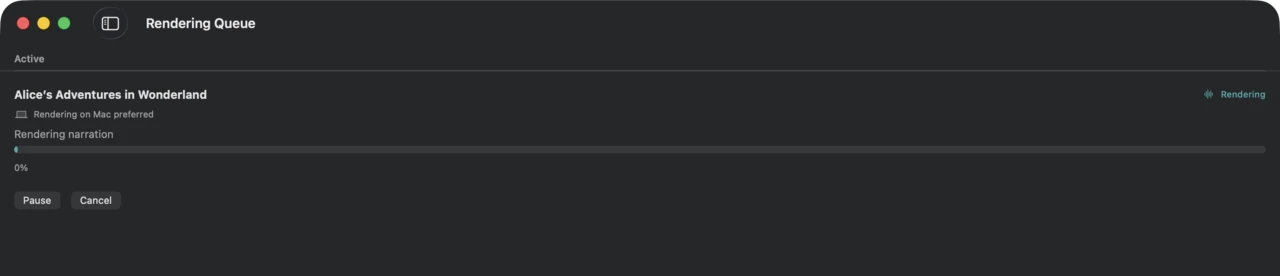
The Blubb Rendering Queue on Mac showing an active narration job rendering with pause and cancel controls.Render queue. The persistent queue pauses, resumes, retries, and survives restarts.Checkpoints. Every finished chapter is cached locally, so pause and resume never waste rendered audio.
A real render job in the queue, checkpointed as it goes.
  • Local AI narrator selection
  • Apple voice alternatives
  • Whole-book or current-chapter preparation
  • Persistent render queue with pause, resume, retry, and progress
  • Local chapter audio cache
  • No hosted TTS — your book is never uploaded

Your Mac creates the narration locally. Your book never needs to become somebody else’s data.

Step 4

Take the finished audiobook with you

When rendering finishes, the audio is yours: sync it privately, keep it offline, or export it.

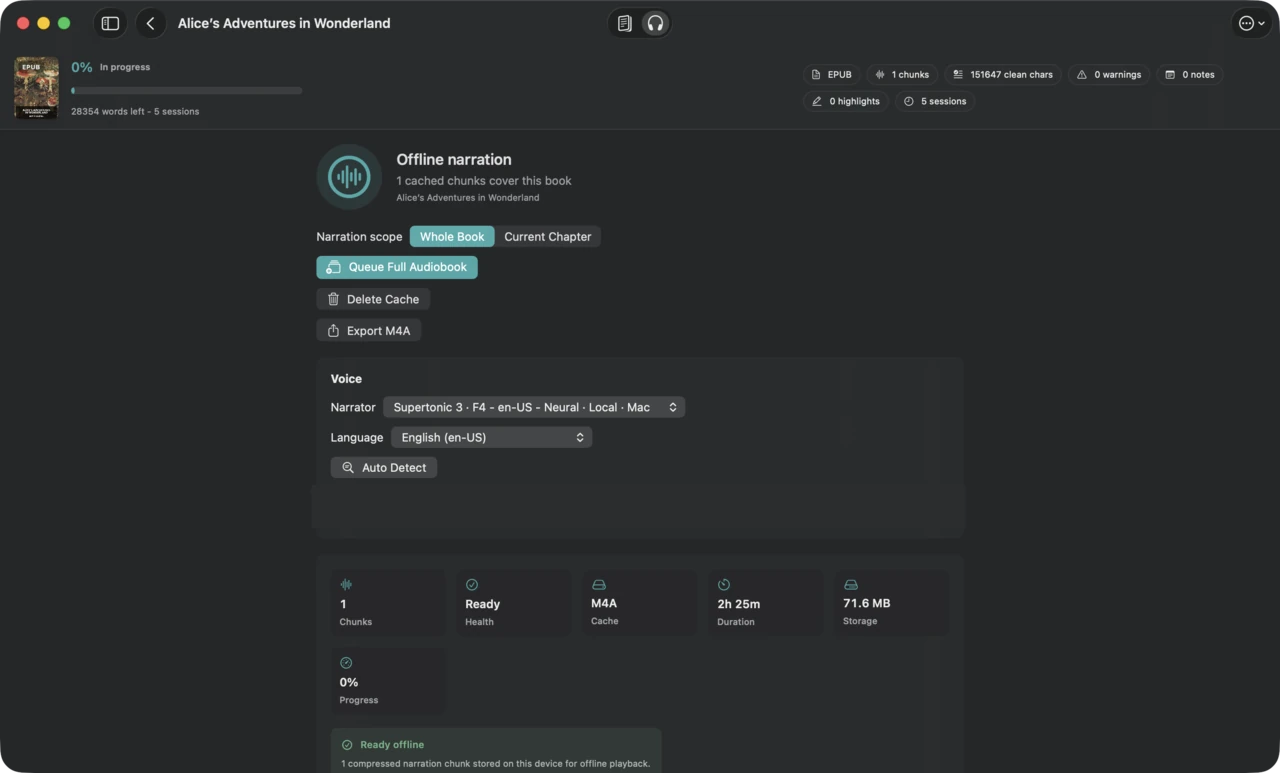
The Blubb Listen workspace on Mac showing a completed, playable narration chapter for Alice’s Adventures in Wonderland.Private sync. Finished audio moves through your private iCloud — never a Blubb server.Audio export. Export the finished audio right from this pane — or a chaptered M4B audiobook with artwork from the book’s detail page.
A finished chapter in the local cache on Mac — play, sync, or export.
Blubb book detail on iPhone for Alice’s Adventures in Wonderland, showing the original EPUB row and the on-device text extraction status.Original file included. The original EPUB stays on the device next to the audiobook — no format lock-in.On-device groundwork. Text extraction runs locally, so narration prep never uploads your book.
On iPhone, the same book stays fully yours — original file, extracted text, and narration all live on the device.
  • Private iCloud transfer of completed Mac narration
  • Offline playback
  • Background and lock-screen playback
  • Playback speed and position
  • Keep Downloaded per title
  • Chaptered M4B export with artwork

Render on Mac. Listen on iPhone. Keep the finished audio offline or export it as an audiobook.

Everything else, explored freely.

The tour showed one path. The rest of Blubb is yours to wander — same screens, same rules: native, offline, and quiet.

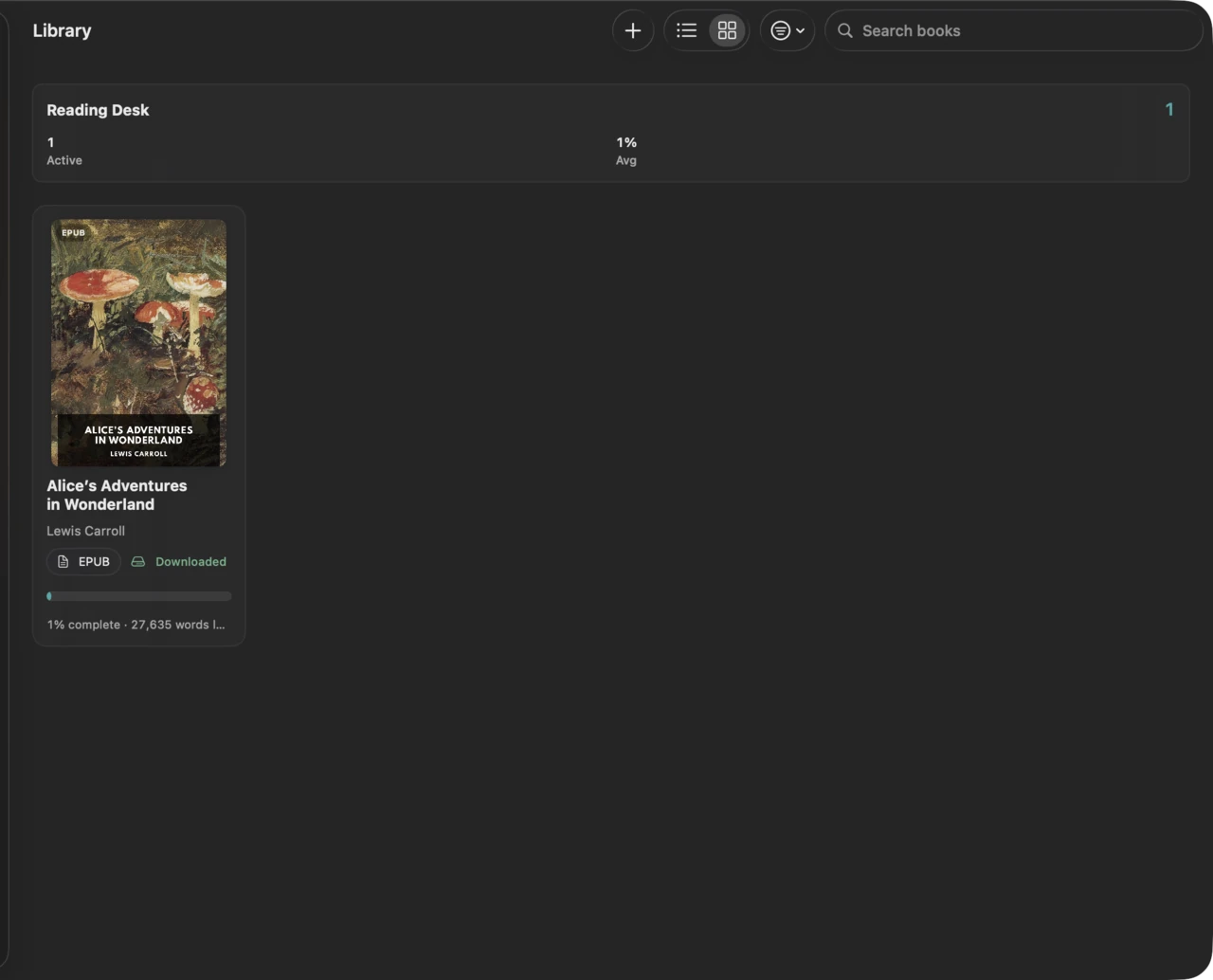
  • The Blubb Library on Mac in grid view with the import, layout, and search toolbar.

    A library that keeps up

    • Search, sorting, filtering, grid and list views
    • EPUB, TXT, PDF, image, and camera import
    • On-device OCR with corrected-text review
    • Keep Downloaded and on-demand asset management
  • Page View of Alice’s Adventures in Wonderland on iPhone.

    The reader

    • Continuous Reader and Page View
    • Focus Mode, chapters, and themes
    • Bookmarks, and word-based progress
    • Original EPUB navigation on iPhone
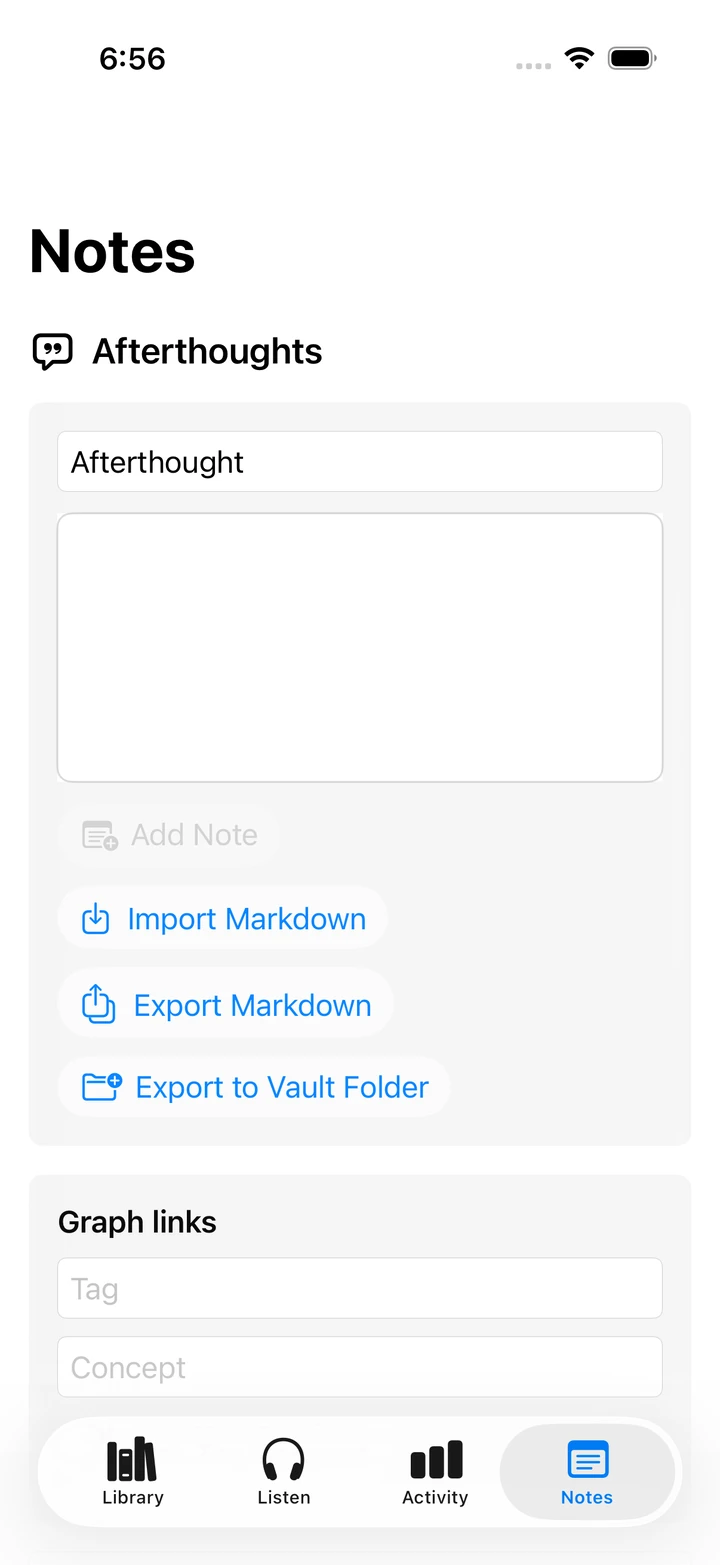
  • The Blubb Notes tab on iPhone with Markdown import and export and graph links.

    Notes and memory

    • Highlights and notes on any passage
    • Markdown sharing in and out
    • A relationship graph that grows with your reading
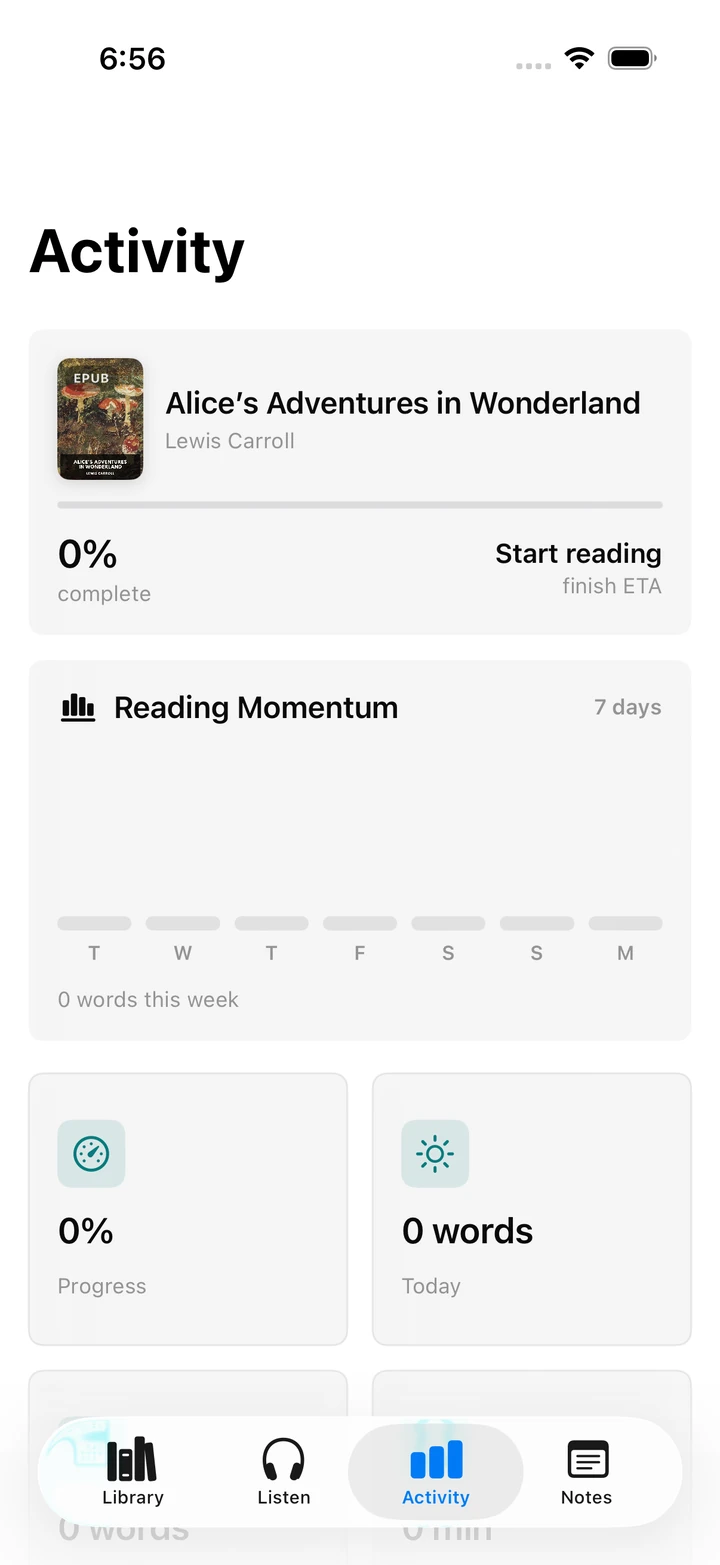
  • The Blubb Activity tab on iPhone showing reading momentum and progress tiles.

    A gentle reading life

    • Activity and reading statistics
    • Goals, streaks, and quiet reminders
    • Everything stored on-device
  • Listening and audio

    • Local AI narration and Apple narrators
    • Mac render queue and offline audio cache
    • iPhone playback and private sync
    • Chaptered M4B audiobook export

    Built for every reader

    • VoiceOver with labels, values, and rotor actions
    • Dynamic Type at accessibility sizes
    • Full keyboard navigation on Mac and iPad
    • Reduced Motion honored everywhere

Your books are not training data.

Blubb works offline by default, the way a book does. Text recognition and AI narration run on your devices, on your files, for you. Nothing about your library is collected, sold, or learned from.

  • Offline by default
  • No Blubb account
  • No analytics or telemetry
  • No hosted OCR
  • No hosted narration
  • Optional private iCloud sync
  • Local files keep working without iCloud

The launch waitlist below is separate from the Blubb app: it stores only your email address and your consent record. Read the waitlist privacy note for the full picture.

Hear it first.

One email when Blubb is ready, and occasional product updates after that. Written by the people building it, easy to leave.

Bot protection loads when you start typing.